Order management is an important process which allows businesses to run smoothly and keeps customers happy, making them more likely to visit your site again in the future. When the customer completes the order process, you will receive a new order notification mail.
The following steps describe how to manage orders in Magento −
Step (1) − Login to your Magento Admin Panel.
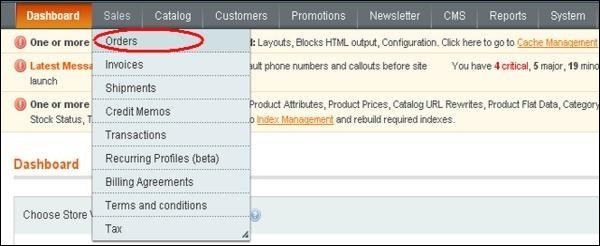
Step (2) − Go to Sales menu and click on the Orders option.
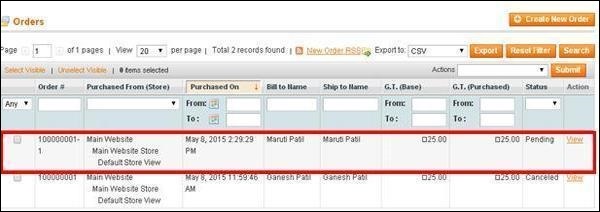
Step (3) − It will display the list of orders placed in the store. Click on any of the orders.
Step (4) − Next, it will show the order form. It includes information regarding the order such as the account information and billing address of the customer, payment information, status of the product and comment area under the Comments History column, etc.
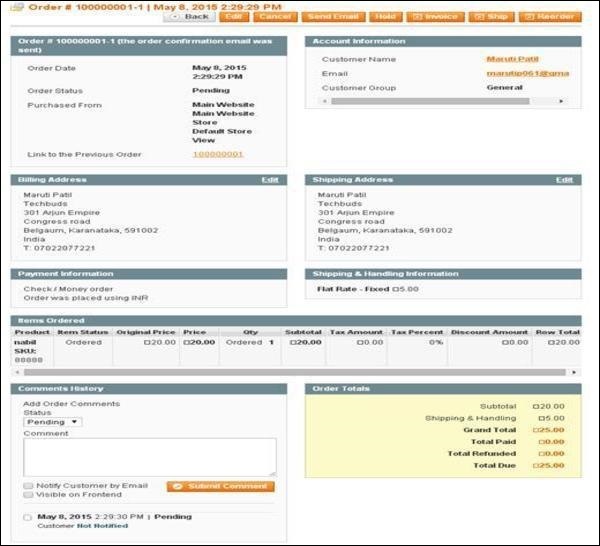
Step (5) − You can see the e-mail has been sent to the customer regarding the product order. Create the invoice for the order and alert the customer that the order is accepted by clicking on the Invoice button.
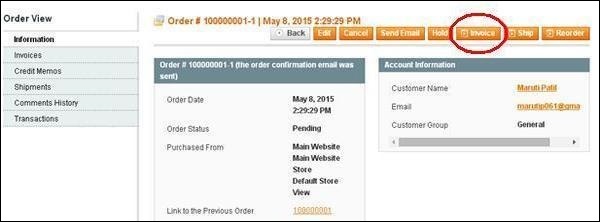
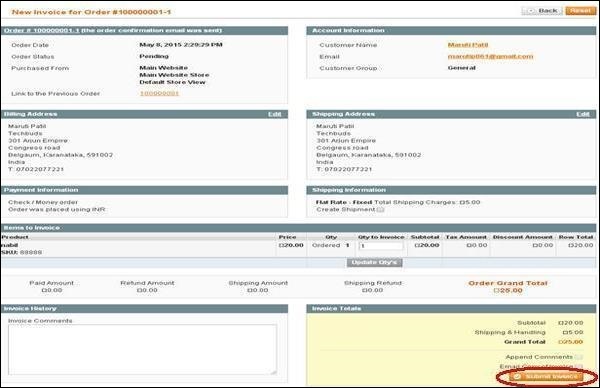
Step (6) − Scroll down the invoice page and click on the Submit Invoicebutton.
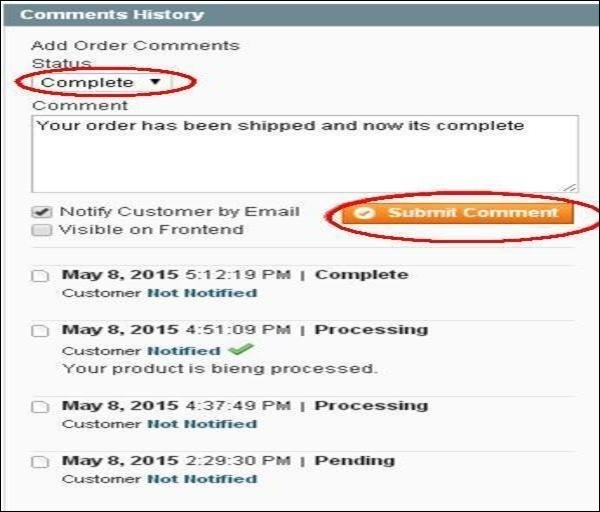
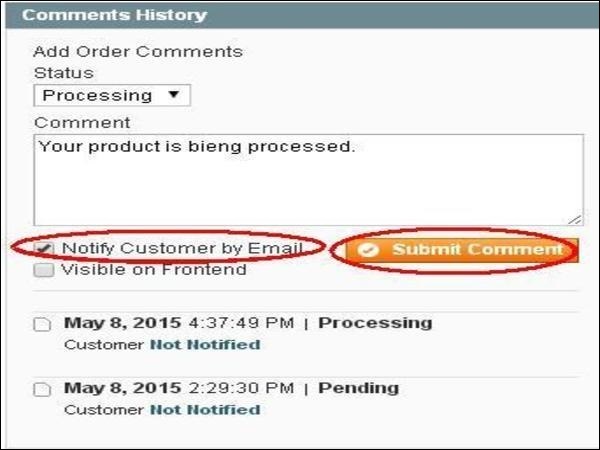
Step (7) − Now the order will get processed and gets accepted into the system. Alert the customer about the product order by sending an e-mail. Type your comment in the text area and click on the Submit Commentbutton.
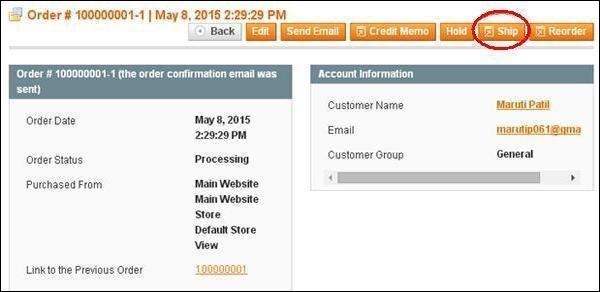
Step (8) − The product is shipped and you need to update the customer on their order status. Enter the completed order into the system and notify the customer regarding shipping of your product by clicking on the Ship button.
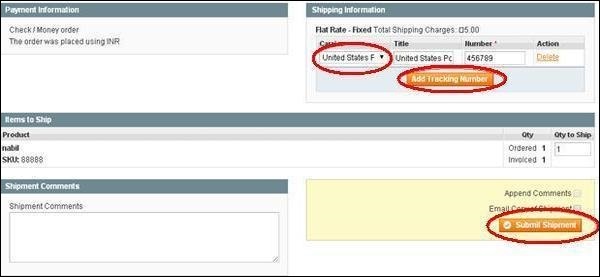
Step (9) − Under Shipping Information section, click on the Add Tracking Number button and choose your Carrier from the dropdown menu and put the tracking number of your order and click on the Submit Shipment button.
Step (10) − It will notify the customer regarding status of the product shipping. Type your comments and click on the Submit Comment button to notify the customer.