Products are the items or things that are sold in Magento. You can add your products to the store view as per customers’ needs. It includes both physical products and services.
Magento provides an easy way to add your product quantities as described in the following steps −
Step (1) − Login to your Magento Admin Panel.
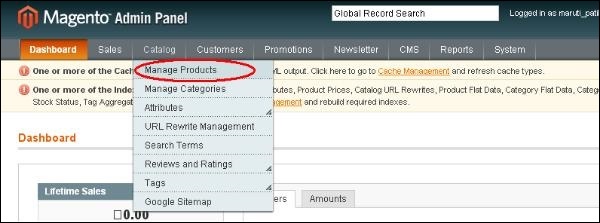
Step (2) − Go to Catalog and select the Manage Products option from dropdown menu.
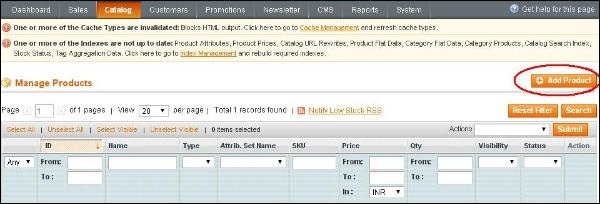
Step (3) − Under Manage Products section, you will see a list of products, if you have added to your Magento store. If you want to add new product, click on the Add Product button on the page.
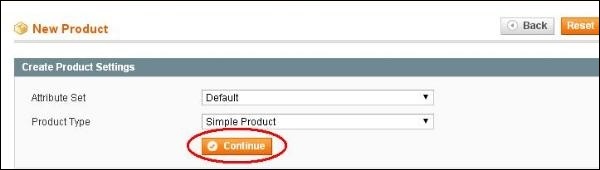
Step (4) − Next select the Attribute Set and Product Type. There is no need to change anything just go ahead and click on Continue button.
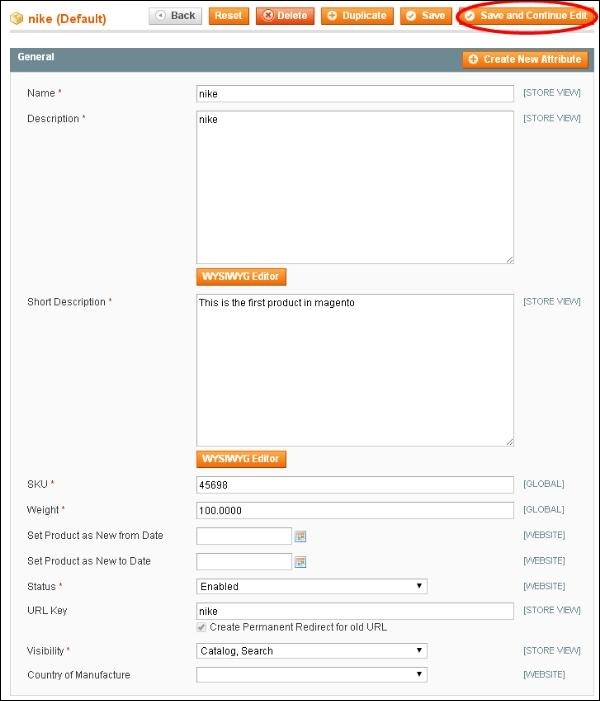
Step (5) − Under General section, fill all the details such as Name of the product, Description, SKU (Stock Keeping Unit), Weight, Status, Visibility etc, and then click on the Save and Continue Edit button.
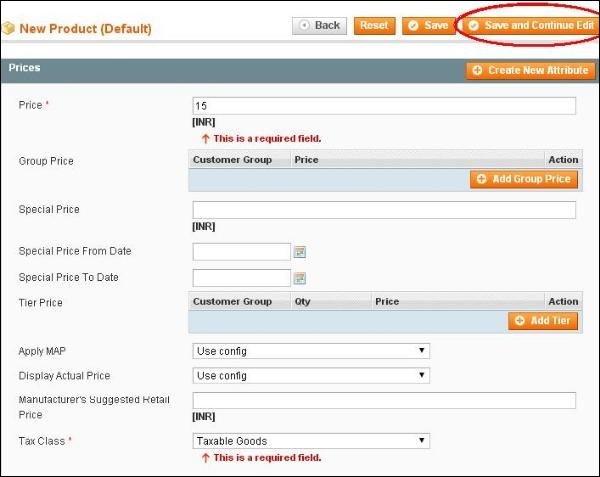
Step (6) − Enter the Price and Tax Class for your product and you can also add additional price using Group Price, Special Price and Tier Price options. Fill all the necessary fields and click on Save and Continue Edit button to proceed further.
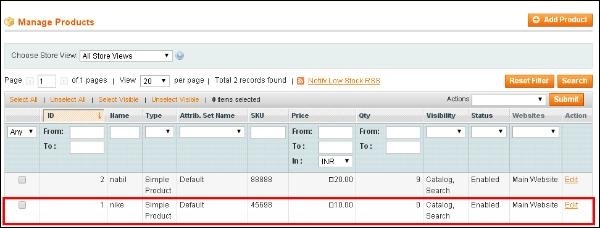
Step (7) − If you want to see list of the saved products, just go to the Catalog and click on the Manage Products option.
Step (8) − You can customize the product information by clicking on the Inventory option on the left side. You can set quantity of the products, stock availability, etc as shown in the screen. Then save the product by clicking on save button.